Beyond Delivered
How to Write Messages People Actually Answer
Sending a message is straightforward. Getting a reply often takes more thought.
If you run a program, your messages carry real work. Registrations, reminders, check-ins, surveys. Each unanswered message can mean a missed appointment, an empty form field, or a participant who quietly drops out.
Reply rates depend a great deal on how a message is written. The messages people answer tend to share a few habits.
Lead with the person, not the program
People decide in a second or two whether a message is for them. Use their name: "Hi Tina" reads like a conversation, while "Dear participant" reads like a mass mailing. Say who you are in the first line, because people are far less likely to respond to a sender they don't recognize.
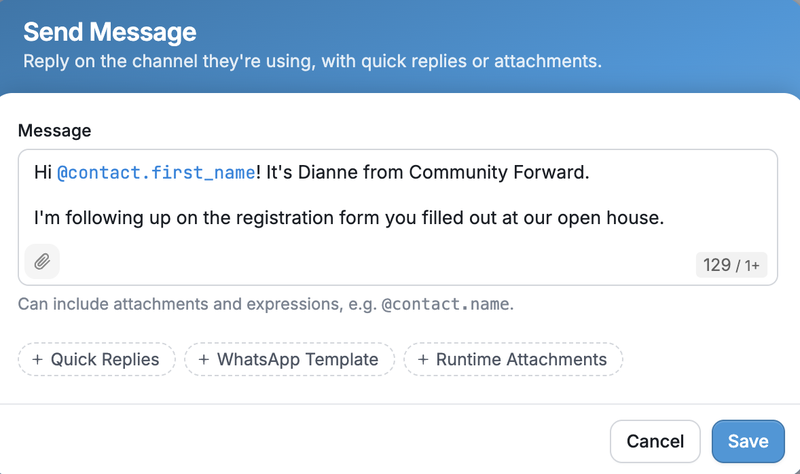
Then remind them why they're hearing from you. "You signed up for the Housing Support program last week" answers why me, and why now? The first line deserves the most attention, since it's what people see in the notification before deciding whether to open it.
Make replying effortless
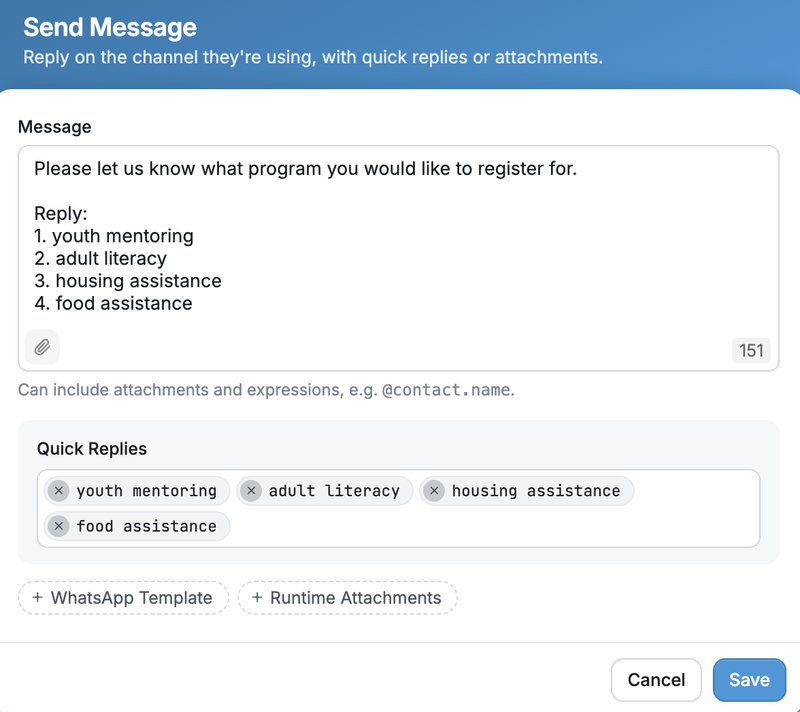
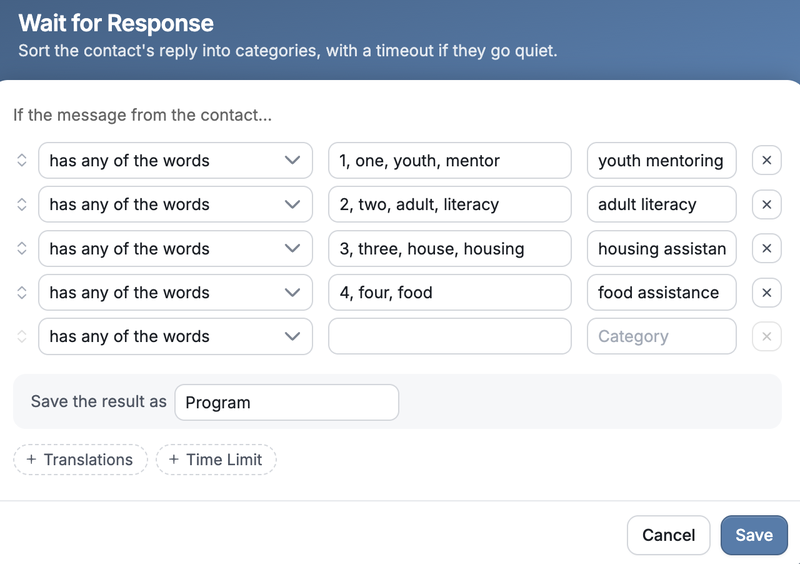
Numbered options are a simple place to start. "Reply 1 for morning, 2 for afternoon" is quicker to answer than an open question, and easier for you to sort. Yes or no questions work the same way.
Quick replies take this a step further. Instead of typing, people tap a button with the answer, such as "Morning" or "Afternoon", and that button's text is sent back as their reply. It takes one tap, there are no typos to interpret, and your flow knows exactly which path to follow. Keep button labels to a word or two, and offer only the choices people actually need. On channels that don't show quick reply buttons, such as SMS, write the choices into the message as numbered options instead.
Some questions need real words, like "What would help you most right now?" An AI step in your flow can read those free-text replies and send each person down the right path. Either way, set your response rules to accept messy answers:. "y", "yes!", "yeah" and "sí" should all count as yes.
Mind the length limits
Most messages are read on a phone. Keep paragraphs to a line or two, put a line break before your question, and sign off with a real name when you can.
Length also has a practical cost. A single SMS holds 160 characters. Go one character over and the message is split & possibly billed by your provider as a separate message.
Special characters shrink that limit further. One emoji, or an accented letter outside the basic SMS alphabet switches the whole message to Unicode, which allows only 70 characters before splitting into separate messages.
Before you send anything to hundreds of people, send it to your own phone and read it the way your participants will.
Send it at the right moment
Time messages to each person rather than to your own calendar. A reminder works best a few days before their appointment or start date, and campaigns that trigger from each person's own dates handle this for you.
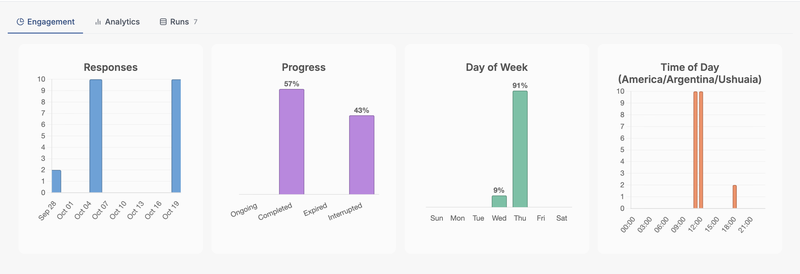
Send when people can actually reply, and avoid early mornings, late nights and the middle of a work shift. If someone hasn't replied after a day or two, one short, friendly nudge is usually enough. More than that starts to feel like pressure. To see trends of when your contacts are typically responding, check out your flow results.
Speak their language
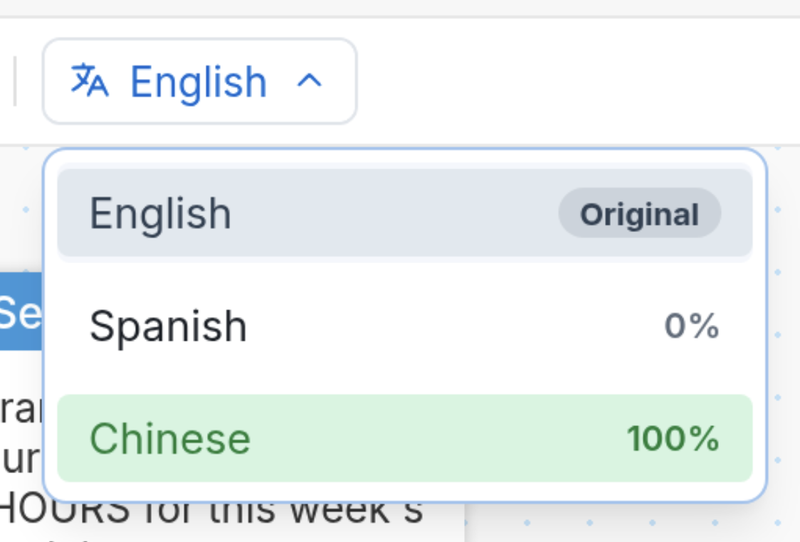
Send the message in the language your participants speak. With auto-translation in your flows, you can write once and have each person receive it in the language they prefer.
Use plain words, too. Instead of "eligibility verification," say "we need to check a couple of things before you can join." Match your tone to the moment: a reminder can be light, while a message about housing, health or money should be calm, clear and kind.
Answer back
People keep replying when their replies go somewhere. Acknowledge every reply, even with something as simple as "Thanks, Tina. You're all set for Thursday."
When a reply needs a person, make sure a person sees it. Routing those conversations to your team as tickets means nobody's question about rent or childcare gets lost in an automated loop. And when you've changed something based on what people told you, say so. It shows them that their answers make a difference.
Before you hit send
-
Does the first line say who it's from and why it matters?
-
Is there one question, at the end?
-
Can they answer in a few seconds?
-
Does it fit in one SMS, or will it be split into multiple messages?
-
Is it in their language, arriving at a time they can reply?
-
Do you have an answer ready for whatever they say back?
TextIt helps you build all of this into the way you work: flows that ask one question at a time, AI that understands free-text replies, automatic translation, campaigns timed to each person, and tickets that bring your team in when a reply needs a human. Start a free trial to try these approaches with your own program.